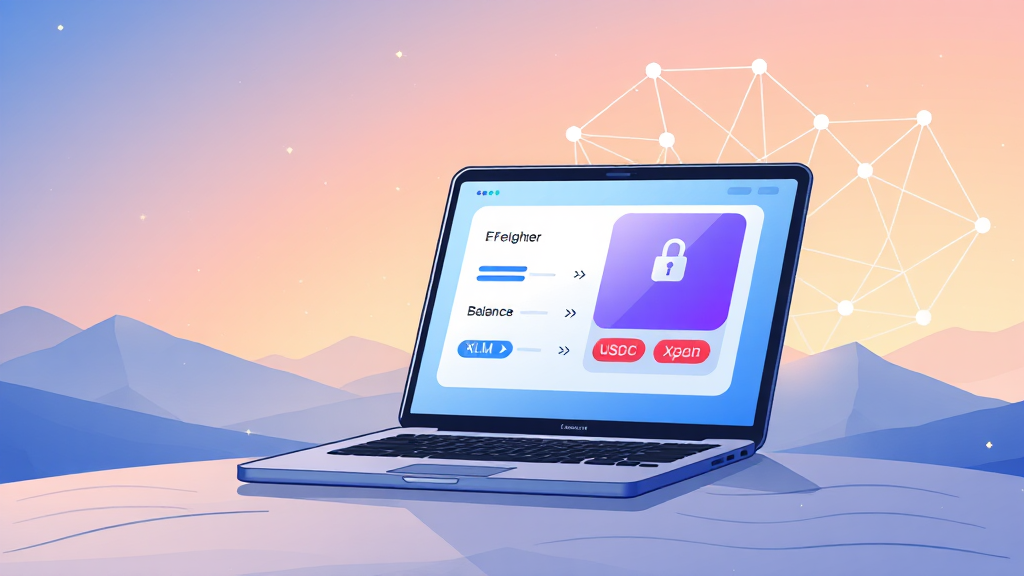
Freighter Wallet Explained: A Practical Guide to Managing Stellar Assets
The Stellar network has quietly become one of the most efficient blockchains for fast, low-cost transactions, especially for cross-border payments and tokenized assets like USDC. But to interact with this ecosystem securely, you need a reliable gateway. That’s where the freighter wallet steps in. Designed specifically for Stellar, Freighter acts as a non-custodial browser extension and mobile app that lets you send, receive, and manage digital assets while also connecting you to a growing universe of Stellar applications.
Whether you’re a newcomer exploring crypto wallets or a seasoned user looking for a more streamlined experience, this guide will walk you through what makes Freighter unique, how to set it up, and why it has become a favorite among Stellar enthusiasts.
What Is Freighter Wallet?
Freighter is a non-custodial wallet built exclusively for the Stellar blockchain. Unlike custodial wallets where a third party holds your private keys, Freighter gives you full control over your funds. Your keys are stored locally on your device, and every transaction must be authorized by you. This aligns with the core philosophy of decentralized finance: trustless, transparent, and user-owned.
The wallet is available as a browser extension for Chrome, Firefox, and Brave, as well as a mobile app for iOS and Android. This multi-platform approach ensures that whether you’re at your desktop or on the go, you can access your Stellar assets with ease.
Why Choose a Non-Custodial Stellar Wallet?
Before diving deeper into Freighter’s features, it’s important to understand why non-custodial wallets matter. When you use a custodial exchange or wallet, you are essentially trusting that entity to safeguard your private keys. If that entity suffers a hack or goes bankrupt, your funds could be at risk. Non-custodial wallets eliminate that risk by ensuring that only you have access to your keys.
Freighter takes this a step further by being open-source. The code is publicly available for audit, which means security experts and the community can continuously review it for vulnerabilities. This transparency builds trust and aligns with the ethos of blockchain technology.
Key Features of Freighter Wallet
Freighter is packed with features designed to enhance your Stellar experience. Here are some of the most notable:
Seamless Stellar App Integration
One of Freighter’s standout features is its ability to connect directly to Stellar-based decentralized applications (dApps). Whether you’re using an AMM like Aquarius, a lending platform, or an NFT marketplace, Freighter acts as your bridge. You can authorize transactions and sign smart contracts without ever leaving the app, making the user experience smooth and intuitive.
Send and Receive Assets Instantly
Sending and receiving Stellar assets, including lumens (XLM) and USDC, is straightforward. You simply enter the recipient’s public address, specify the amount, and confirm the transaction. Thanks to Stellar’s consensus protocol, transactions settle in seconds, and fees are fractions of a cent. This makes Freighter ideal for microtransactions and everyday payments.
Built-in Swap Functionality
While Freighter doesn’t have its own built-in exchange, it integrates with Stellar’s decentralized exchange (DEX) and aggregators. You can swap between different assets directly from the wallet interface, taking advantage of competitive rates and deep liquidity pools. This eliminates the need to transfer funds to a centralized exchange for simple trades.
Hardware Wallet Support
For added security, Freighter supports hardware wallets like Ledger. You can pair your Ledger device with Freighter to keep your private keys offline while still enjoying the convenience of a software wallet. This hybrid approach is perfect for users who hold significant amounts of crypto and want an extra layer of protection.
How to Set Up Freighter Wallet
Getting started with Freighter is a simple process. Follow these steps to create your first Stellar wallet:
Step 1: Install the Extension or App
Visit the official Freighter website and download the browser extension for your preferred browser, or install the mobile app from the App Store or Google Play. Always ensure you’re downloading from official sources to avoid phishing scams.
Step 2: Create a New Wallet
Open the extension and select “Create New Wallet.” You’ll be prompted to set a password. This password encrypts your private keys locally, so make sure it’s strong and unique.
Step 3: Back Up Your Recovery Phrase
Freighter will generate a 12-word recovery phrase. Write it down and store it in a safe place. This phrase is the only way to restore your wallet if you lose access to your device. Never share it with anyone, and never store it digitally in an unsecured location.
Step 4: Explore the Interface
Once your wallet is created, you’ll see your public address, which you can use to receive funds. You can also view your asset balances, transaction history, and recent activity. Take a moment to familiarize yourself with the layout—it’s clean and user-friendly.
Using Freighter with Stellar Apps
Freighter’s true power shines when you start using it with Stellar applications. Many projects in the Stellar ecosystem have integrated Freighter as their primary wallet provider. This means you can log in, authorize transactions, and manage your assets across different platforms without creating multiple accounts.
For example, imagine you’re using a Stellar-based remittance service to send money to family abroad. With Freighter, you can fund your account with USDC, initiate the transfer, and track it in real-time—all from within the wallet. The same applies to NFT marketplaces, where you can bid on digital art and pay with Stellar assets instantly.
If you’re new to the ecosystem, exploring these apps can be an eye-opening experience. You’ll discover that Stellar is not just about payments; it’s a versatile platform for tokenization, crowdfunding, and even identity solutions. And Freighter is your key to unlocking all of it.
Security Best Practices for Freighter Wallet Users
While Freighter is designed with security in mind, your habits also play a crucial role in keeping your assets safe. Here are some best practices to follow:
Protect Your Recovery Phrase
Your recovery phrase is the master key to your wallet. Write it down on paper and store it in a fireproof safe or a bank deposit box. Avoid taking screenshots or storing it in cloud services like Google Drive or iCloud, as these can be compromised.
Beware of Phishing Sites
Always double-check the URL before entering your password or recovery phrase. Scammers often create fake websites that look identical to legitimate ones. Bookmark the official Freighter site and use that bookmark to navigate.
Keep Your Software Updated
Regularly update your browser and the Freighter extension to ensure you have the latest security patches. Developers frequently release updates to address potential vulnerabilities.
Use Hardware Wallet for Large Amounts
If you hold a significant amount of Stellar assets, consider using a hardware wallet like Ledger in conjunction with Freighter. This keeps your private keys offline and immune to malware attacks.
Comparing Freighter with Other Stellar Wallets
Freighter is not the only wallet on Stellar, but it has several advantages over its competitors. Let’s compare it with a few popular alternatives:
Freighter vs. Lobstr
Lobstr is a well-known Stellar wallet with a mobile-first approach. It offers a user-friendly interface and supports a wide range of assets. However, Freighter excels in its browser integration and seamless dApp connectivity. If you frequently use Stellar applications, Freighter is the better choice.
Freighter vs. StellarTerm
StellarTerm is a web-based trading interface rather than a wallet. It allows you to trade on the Stellar DEX, but you need to connect a wallet like Freighter to actually execute trades. Freighter complements StellarTerm perfectly, providing the security and signing capabilities that StellarTerm lacks.
Freighter vs. Albedo
Albedo is another non-custodial wallet that supports Stellar. It offers similar features, but Freighter has gained more traction due to its active development and strong community support. Freighter also supports more hardware wallets and has a more polished user experience.
The Future of Freighter Wallet
As the Stellar ecosystem continues to grow, Freighter is poised to play an increasingly important role. The team behind Freighter is constantly innovating, adding new features like multi-signature support and enhanced privacy options. They are also working on improving the mobile experience, making it even easier to manage your assets on the go.
With the rise of stablecoins like USDC and the growing interest in real-world asset tokenization, Stellar is becoming a go-to network for enterprises and individuals alike. Freighter’s simple yet powerful interface makes it an ideal entry point for anyone looking to participate in this revolution.
Frequently Asked Questions
Is Freighter wallet safe to use?
Yes, Freighter is considered safe as it is non-custodial, open-source, and regularly audited by the community. Your private keys never leave your device, and you have full control over your funds. However, you must follow security best practices, such as protecting your recovery phrase and avoiding phishing sites.
Can I use Freighter on my mobile phone?
Absolutely. Freighter offers a mobile app for both iOS and Android. You can manage your Stellar assets, send and receive payments, and connect to Stellar apps directly from your smartphone. The mobile app is designed to be just as feature-rich as the browser extension.
Does Freighter support USDC and other Stellar tokens?
Yes, Freighter supports all assets issued on the Stellar network, including USDC, XLM, and any other custom tokens. You can add tokens manually by their asset code and issuer, or they will appear automatically if you receive them.
How do I recover my Freighter wallet if I lose my device?
If you lose your device, you can restore your wallet using your 12-word recovery phrase. Simply install Freighter on a new device, select “Restore Wallet,” and enter your recovery phrase. Make sure you have kept your phrase safe and private.
In conclusion, the freighter wallet app is an essential tool for anyone looking to interact with the Stellar network. Its non-custodial nature, seamless dApp integration, and user-friendly interface make it a top choice for both beginners and experts. Whether you’re sending USDC across borders, trading on the Stellar DEX, or exploring the latest Stellar-based NFT projects, Freighter provides a secure and convenient gateway. As the Stellar ecosystem evolves, Freighter is sure to remain at the forefront, empowering users to take control of their digital finances.